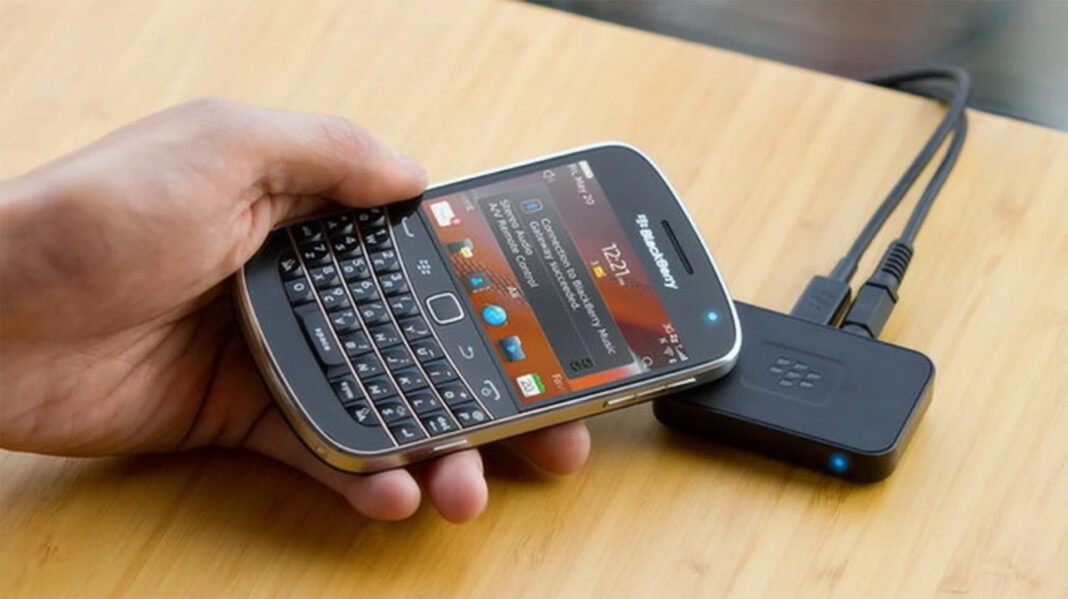
If you’ve ever been to a party at someone’s place and rolled your eyes at the music that they’re playing while you have the hottest mix on your phone, BlackBerry is here to save the day. The newly launched BlackBerry Music Gateway lets your stream music from your BlackBerry or other Bluetooth device directly to your stereo system, and also supports a ‘tap to connect’ NFC system to make connectivity easier.
Build quality and Design
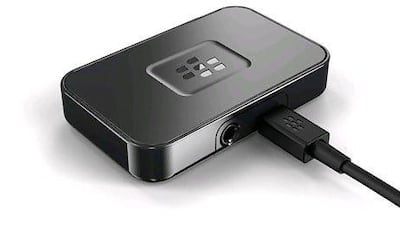
The Music Gateway is a tiny rectangular device, probably smaller than half the size of your BlackBerry phone. The little guy has only one button at the top to activate Bluetooth pairing, and has two ports on the back to connect the power source and a cable for audio output to your speaker system. The Music Gateway only supports connectivity via Bluetooth, so for some reason your device doesn’t have Bluetooth, then you’ll have to sit this one out. A tiny LED sits at the front of the device to indicate the device’s status – green for powering up, red and blue for pairing mode, and solid blue for streaming.
The top and bottom of the Music Gateway has a slight rubber feel to it, with a slightly glossy finish going around the rest of the device. It becomes almost invisible when set up next to a stereo system or home theatre system, thanks to its small size and black finishing. The box includes the Music Gateway device and charging cable, along with a 3.5mm AUX and RCA cables to connect to most speaker systems.
Features & Connectivity
I was able to pair the Music Gateway with my Blackberry 9800 in just a few seconds via Bluetooth. I simply tapped the top BB logo to begin pairing, detected the device on my BlackBerry, and the two were connected. After pairing, I could stream and control my music via my phone, and streaming was uninterrupted. I was also able to pair the Music Gateway with an iPhone and an Android tablet without much of an issue, though trying to connect via NFC on a Samsung Galaxy SIII was not as successful.
- Easy to setup
- Small and portable
- Affordable price tag
- NFC connectivity is a bit off on some devices
- Requires AC power at all times
While there are a variety of Bluetooth and wireless speakers that you can splurge out for if you want to broadcast audio from your phone, the Music Gateway is a great little gem to use an existing speaker setup or sound system. With an affordable price tag and easy setup, the BlackBerry Music Gateway is a nifty little device to connect devices to your favorite speaker setup.