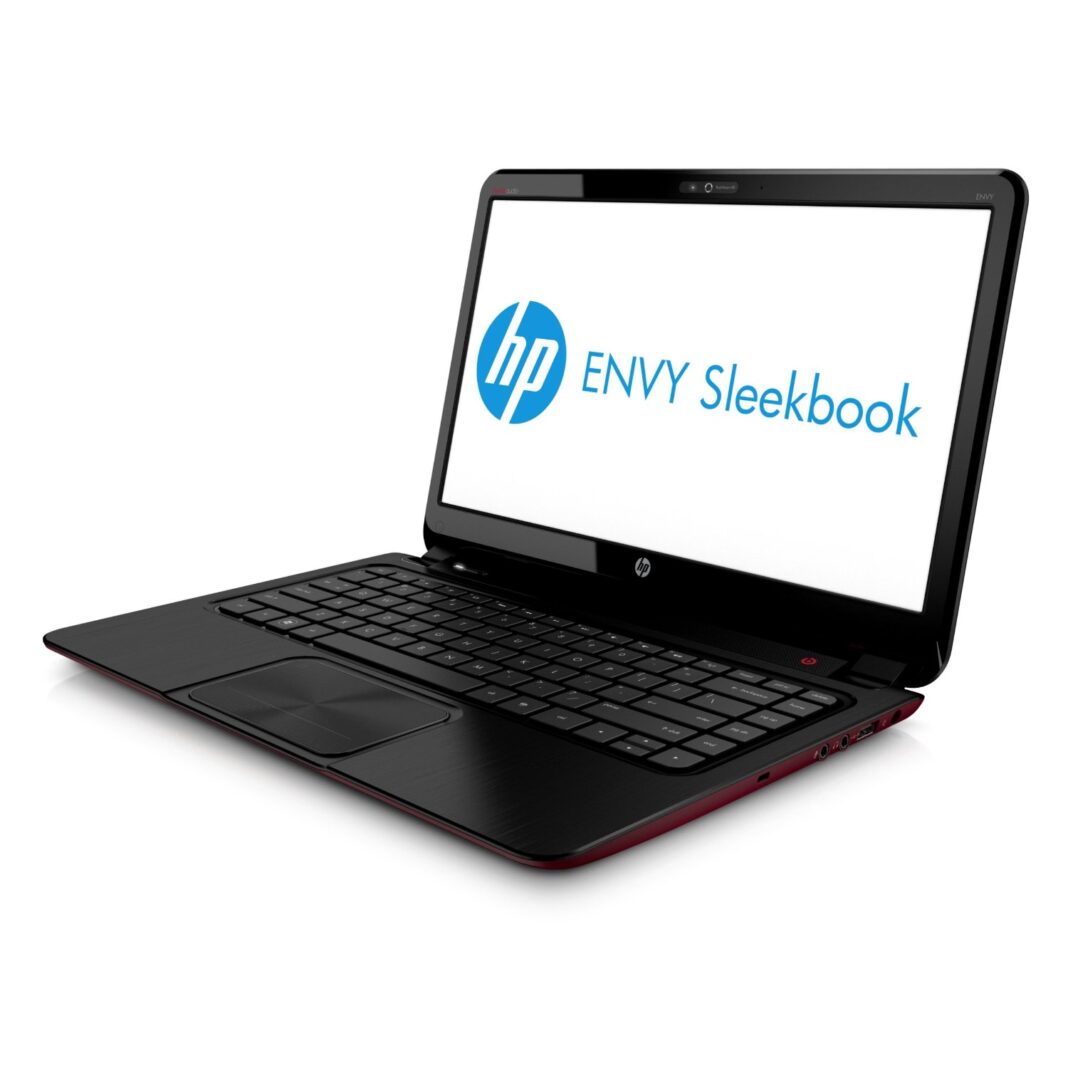
When it comes to laptops it seems like every other manufacturer is trying to outdo the next. The latest buzz of course is the Ultrabook, which is a laptop that meets very strict requirements in terms of performance, size, thickness, and weight. While these laptops certainly are more portable, they usually come with a significant price tag, owing to the use of SSDs and more premium build materials than in most other laptops. So those who aren’t quite ready to splurge for an Ultrabook might consider looking at the new and fairly svelte 15 inch HP Envy Sleekbook 6.
Design & Build Quality
HP weren’t looking to make an Ultrabook-competitor but rather a decent laptop that looked good and performed well; for the most part they succeeded. The Envy Sleekbook 6 has a sleek black aluminum finish which certainly adds the ‘sleek’ to the laptop’s name.
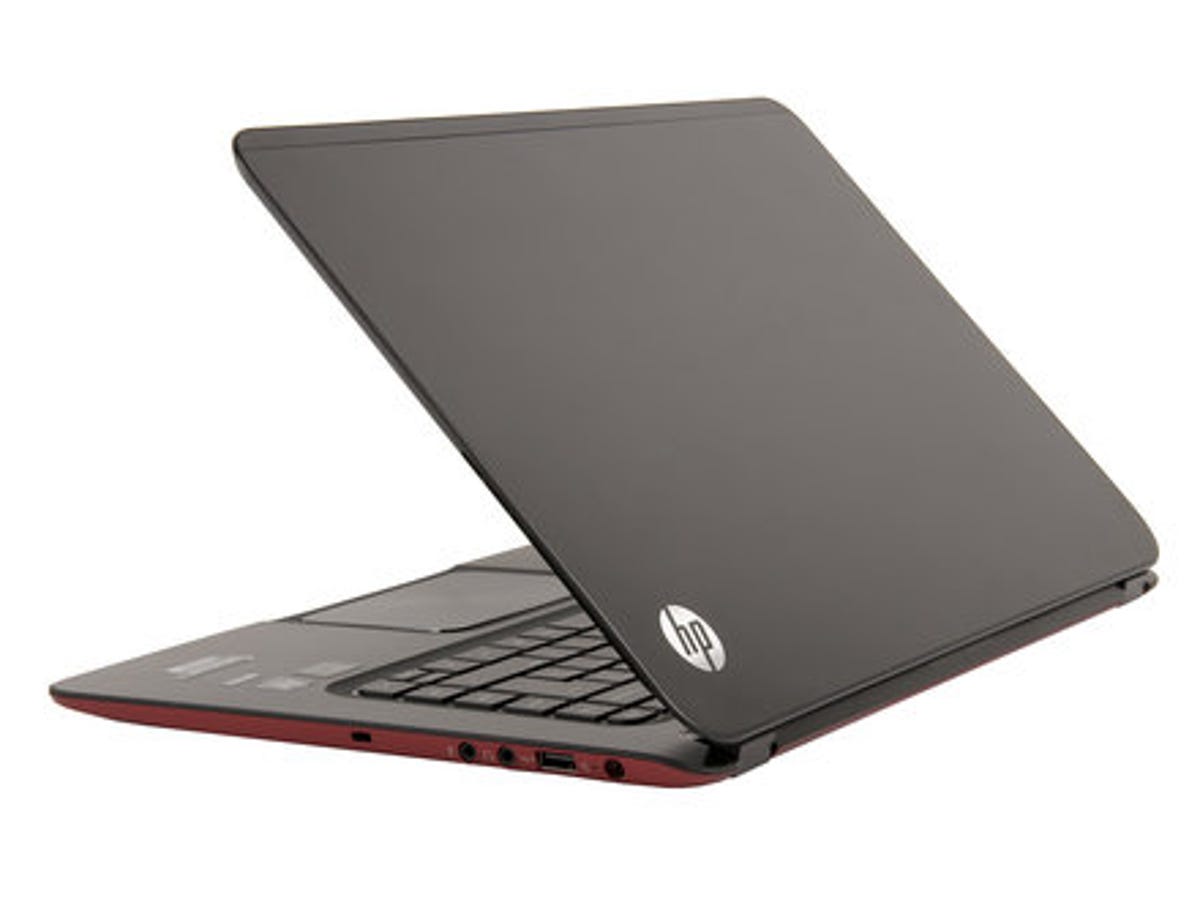
By contrast, the underside of the laptop has been finished with a deep red rubberized plastic, which in addition to making the laptop stand out, also gives it better grip when carrying it around.
Though Ultrabooks often skimp out on ports and connectivity options, the Envy Sleekbook 6 on has a good number of ports available. On the right of the laptop is the power port, USB, and audio jacks, as well as a Kensington slot. The left hand side has a Gigabit Ethernet port, HDMI, two additional USB ports, memory card reader, and tiny LEDs for power and HDD activity. There’s no optical drive sadly, as this was probably one of the first things to go in order to keep the laptop profile as slim as possible, but it’s easy to spring for a cheap external optical drive. On a side note, I have to mention that the power adapter tends to stick out a far bit from the actual power connector, so it’s wise to be careful if you’re moving your laptop around when it’s plugged in.
Benchmarks & Performance
The Envy Sleekbook 6 was able to get through most of our tests without too much of a hiccup. The switchable graphics kicked in during some of the high-end graphics tests, but even then frame rates hovered between 19 to 27fps.
Since this unit doesn’t have an SSD, disk tests were on the average side and programs took a couple of seconds longer to launch. It’s not a noticeable difference, but you’ll often hear the hard drive grinding away when running certain programs, something that I’ve long forgotten since switching to an SSD on my own laptop. A complete cold boot took about 51 seconds to reach the desktop, which again isn’t too impressive.
HP has incorporated Intel technology such as Smart Response and Rapid Start, which helps the laptop resume quickly from sleep mode. The laptop was able to resume in about 4 seconds which was almost on par with how fast most Ultrabooks take to do the same. There’s also HP’s ‘CoolSense’ which checks if your notebook is not in a stationary position, and adjusts performance and fan settings to ensure the laptop is always running at cool levels. When I switched this on I found that the internal fans kicked in almost immediately when using the laptop on my couch, trying to ensure that everything stayed cool to the touch.
Playing games on the Envy Sleekbook 6 was a bit of a downer. While Diablo III was able to run, it was nearly impossible to play on high settings, and even when I adjusted everything down to medium or low settings, the laptop went into overdrive to stay cool. So while you can probably run most games on this laptop, don’t look to try anything beyond medium quality settings unless you can ignore the noise from the internal fans.
Bundled software includes the usual suspects such as a trial of Office 2010, Norton Internet Security, and an HP Launch Box which sits on your taskbar. All of this can be easily uninstalled of course, and I highly recommend you get rid of the HP SimplePass software as this brought Internet Explorer to an absolute crawl.
Screen & Keyboard
The 15.6” screen offers a fairly standard resolution of 1366×768, which is adequate for most tasks and you can always bump up screen real estate via the HDMI port. What is a bit disappointing is that the LED screen distorts images quite a bit if you’re not facing it directly, so sharing your laptop screen for watching media is going to be a tight squeeze.
The keyboard offers plenty of room for typing with a chiclet style layout that was responsive to my piano-style way of typing. I did notice that pressing firmly on some of the keys in the middle of the keyboard caused surrounding keys to flex a little as well – it’s not something to be alarmed about, but might be a design note for future models. HP has assigned the Function keys at the top as toggles for various things such as external displays, volume control, media control, etc. On some occasions I could activate these buttons by just tapping them, and sometimes I had to hold down the Fn key on the keyboard. In other instances the software controlling them seemed ‘stuck’, when I tried to Alt+F4 out of a program only to bring up the external video options instead. The keyboard in my review unit came with the backlit feature, which is great for nighttime typing and can easily be switched on or off by tapping the F5 key.
The trackpad on the Envy Sleekbook 6 was a bit of a letdown. While big and roomy, it offers a fair bit of resistance when you’re trying to navigate, and occasionally the multitouch gestures were incorrectly interpreted. My biggest issue with the trackpad in the single large button at the bottom that functions as a left or right click. This button is very stiff and again on occasion registered a left click instead of a right click.
Being an HP laptop, Beats audio comes as standard, and the large speaker that sits under the display hinge offers a fairly decent audio experience. While treble and most audio came out without issue, bass was slightly lacking at times unless you max out the bass settings in the audio control panel. Of course the experience was much more enjoyable and balanced with a pair of headphones, so although the laptop can provide enough musical prowess for a small crowd, you’ll want to plug in external speakers for anything louder.
Battery life & Heat
For battery life we ran our usual Powermark benchmark, which runs through a series of web browser, word processing, and video tests to see how long the battery would last. The entire benchmark was able to run for 2 hours and 13 minutes before the computer forced itself to shut down. However the Powermark tests are somewhat intense at times, so when I ran the laptop with Wifi connected and 75% brightness and streaming music from the Internet while typing out this review, I was able to squeeze in just over four hours of battery life. That’s not incredible, but given that this isn’t an Ultrabook you shouldn’t be complaining much.
The laptop stayed cool through most of my use, even when precariously balanced on my lap. The only time the unit got quite warm was when I was attempting to play Diablo III on maximum settings – 20 minutes of that and the internal fan was ready to convert the laptop into a mini-hovercraft.
- Stylish and standout design
- decent graphics performance
- Slow hard drive
- Finnicky keyboard
- screen is a let down
The HP Envy Sleekbook 6 is indeed a sleek looking device with some fairly decent performance to offer. While it may not be competing with the latest Ultrabooks, it’s still a fairly decent and affordable laptop to pick up if you’re looking for a premium look and feel without breaking your wallet.