There are many perils with being an editor. For one, you’re almost always on the move – be it to meetings, press conferences, or trying to find a free spot at the local coffee shop so you can finish writing that all-important review. And for the most part, wherever I go it’s important that I have my laptop with me. Though it’s an 11-inch model that weighs quite a bit, it was the most portable thing that I could find on the market at the time that would meet my needs. Fortunately, a lot has changed since then, and there are a bevy of notebooks available that are faster, thinner, and more durable than what I currently own. One of the recent contenders to grace my attention is the Samsung Series 9 notebook, which was launched in the UAE just a week ago. Samsung boasts that this is their thinnest notebook yet, and while it no doubt looks sleek and stylish, it’s the performance and portability that I was keen on evaluating. I decided to swap out my regular laptop for the Samsung Series 9 13” model for a week, to see if it could stand up to its ambitious claims.
Build quality and design
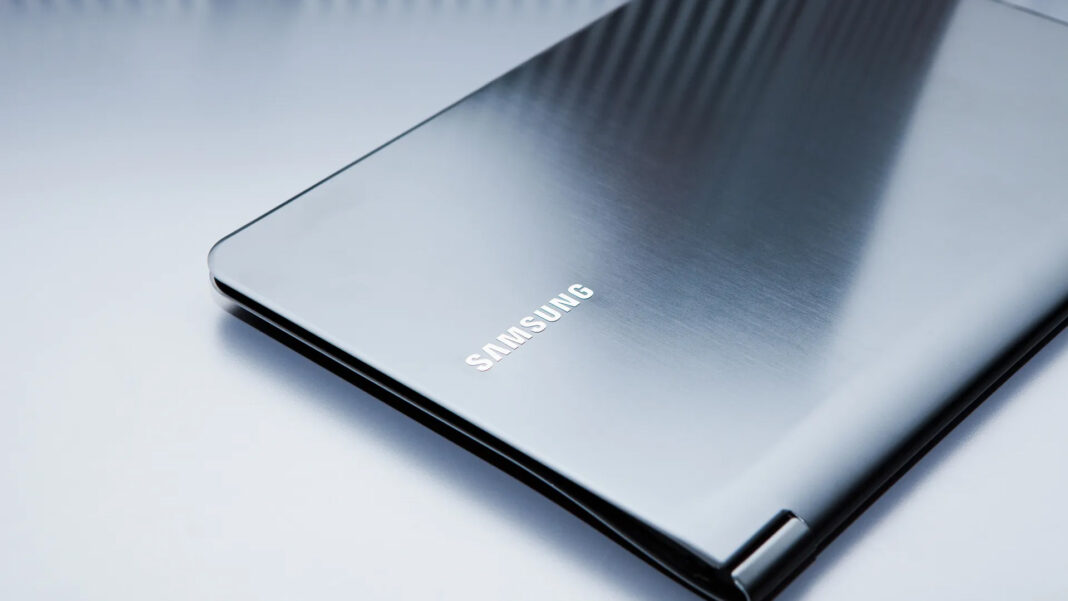
The box in which the notebook arrived is quite misleading. Nestled inside a large black box is the sleek and stylish Series 9, and placing it on my desk it suddenly dawns on me that I’ve been lugging around what can only be described as a small encyclopedia by comparison. In fact, the Series 9 is probably no thinner than a few magazines stacked together. It’s certainly one of the lighter laptops that I’ve checked out, weighing in at about 1.16kg and measuring just under 13mm thick. And while most other laptops tend to favor a mostly plastic body, Samsung have encased the Series 9 in a beautiful matte aluminum finish, making it look even more refined that its predecessors.
This thin frame is of course not without its pitfalls. In order to achieve this super-slim physique, Samsung had to make some tough calls. There is of course no optical drive as that would add to both the bulk and weight of the unit, but in addition to this Samsung have gone totally AWOL on ports. At first glance there’s no sign of any video out ports or even an Ethernet port, and this is where my first problem crops up with the Series 9. Samsung have done away with the traditional ports in favor of dongles, so you’ll find mini ports for HDMI, VGA, and Ethernet on the left and right side of the laptop. My review unit came bundled only with the Ethernet dongle, which means that you’ll have to fork out extra if you need VGA or HDMI connectivity. I can completely understand that Samsung had to make this decision in order to keep the notebook thin, but I’m really disappointed that no matter where I go, I have to make sure that I have the right dongles with me all the time. At the Samsung press event I raised my concerns about the lack of standard ports, but I was instead met with the argument that everything is going wireless in this day and age, so I shouldn’t have to worry so much. This was followed up with some pitch about ‘wireless projection’, but that did me no good when I walked into a client meeting and had to show three people a proposal on the laptop screen because it couldn’t connect to their standard VGA projector.
Aside from the mini ports you have a USB 3.0 port that functions as a charging port, as well as a standard USB 2.0 port. I found the USB 3.0 port a little too close to the power adapter port, so when the laptop was plugged in I had to struggle a bit to fit a USB thumb drive into the slot. There’s also a headphone/microphone combo jack, and a hidden SD card slot near the bottom right of the laptop.
Specifications
As far as specs go, the Series 9 comes in three different configurations and sizes. My 13 inch model was the i5 version, and was kitted out quite comfortably for what I would be using it for.
Benchmarks & Performance
Through most of our tests the Samsung Series 9 scored quite well for its configuration, and even in real-world tests such as loading large documents and pdfs, the notebook was able to cope quite well thanks to its speedy SSD. Performance did suffer in some of the 3DMark6 tests, with framerates going between 14-16fps at times. But then again, you wouldn’t seriously consider this notebook for gaming anyway, so expect to play any games on the lowest settings.
One of the things that Samsung is emphasizing with the Series 9 is speed and performance. More importantly Samsung introduced a series of changes with this range that makes both bootup and resuming your work a piece of cake. From a total power off the laptop took about 14 seconds to reach the Windows desktop, which is really impressive thanks in part to the SSD and the various tweaks that Samsung has done. There’s also ‘Fast Start’, which allows you to resume your work in under 2 seconds once the laptop lid is closed and reopened. Indeed, the laptop almost instantly came back to life once I opened the lid, so in theory with a regular charge every so often you wouldn’t really need to shut down Windows.
Bundled software in the Series 9 was kept to a minimum, so you get a trial version of Office 2010 as well as Norton Internet Security. There’s also a slew of Wild Tangent games, which I highly recommend you uninstall as they have been known to cause more harm than good. Samsung also bundles a few of its apps for multimedia, file migration, and restoring the system, as well as their software launcher which looks suspiciously familiar – any guesses where you’ve seen it before?
Screen, keyboard & audio
Despite being 13”, the screen packs in a nice 1600×900 resolution, which is a welcome change. Samsung have used a matte screen as well, so the laptop won’t reflect light that much when used indoors or outdoors. Colors however can appear a bit washed out at times, and though there’s little reflection the viewing angles aren’t that great, with colors appearing dull if you’re not directly facing the screen. Given the price tag for this laptop, you would hope that there might have been a little more effort on the screen, but sadly it isn’t so.
The keyboard on the Series 9 gets a mixed score. On the good side the keys are properly spaced and quite comfortable to type on, and there’s also a backlight that comes on automatically when required. On the other hand, the keys don’t seem to offer the right amount of feedback, which for me is important when speed-typing. I’ve been typing out this review on the Series 9, and I’ve found that the keyboard did slow me down at times because I wasn’t sure if I had hit the correct key or not. The Function keys at the top toggle various settings such as screen brightness, audio and activating Wi-fi or the notebook’s ‘Silent Mode’. Thankfully there’s a Function Lock key so you don’t have to hold down the Fn key to activate any of them.
The trackpad on the Series 9 is fairly spacious and effortless to use. In addition to two-finger scrolling and zoom, you can also swipe with three fingers to navigate between open applications, or four fingers to minimize windows or bring up the Aero interface. There are a few hiccups if you use two hands on the trackpad as the cursor did tend to jump a little bit, but overall the touchpad experience was satisfactory.
Audio on the Series 9 was probably some of the worst I’ve heard, and this is purely down to the absurd location of the speakers. Firstly, they’re under the sides of the laptop, and secondly they’re pointing downwards. So any sound that comes from them is screechy and bass is almost nonexistent. Yes the speakers are loud, but why would you want to turn up the volume when the sound quality is so poor?
Battery life & heat levels
Samsung says that their 13” model squeezes out 7.3 hours of usage, and in my tests I was able to get about 7.1 hours of usage before the laptop completely died. That’s not half bad at all, considering that in a real-world scenario I would have at least one opportunity to plug in my notebook for a short charge at some point in the day. Core temperatures remained at the 44-49C mark for basic tasks, but when I fired up Diablo III on a mix of medium and low settings, the notebook got incredibly hot at the base as well as on the keys itself, with the internal temperature registering around 82C with the once quiet fans kicking into high gear almost continuously. Clearly anything remotely taxing on this machine is going to cause you problems, so be aware of this.
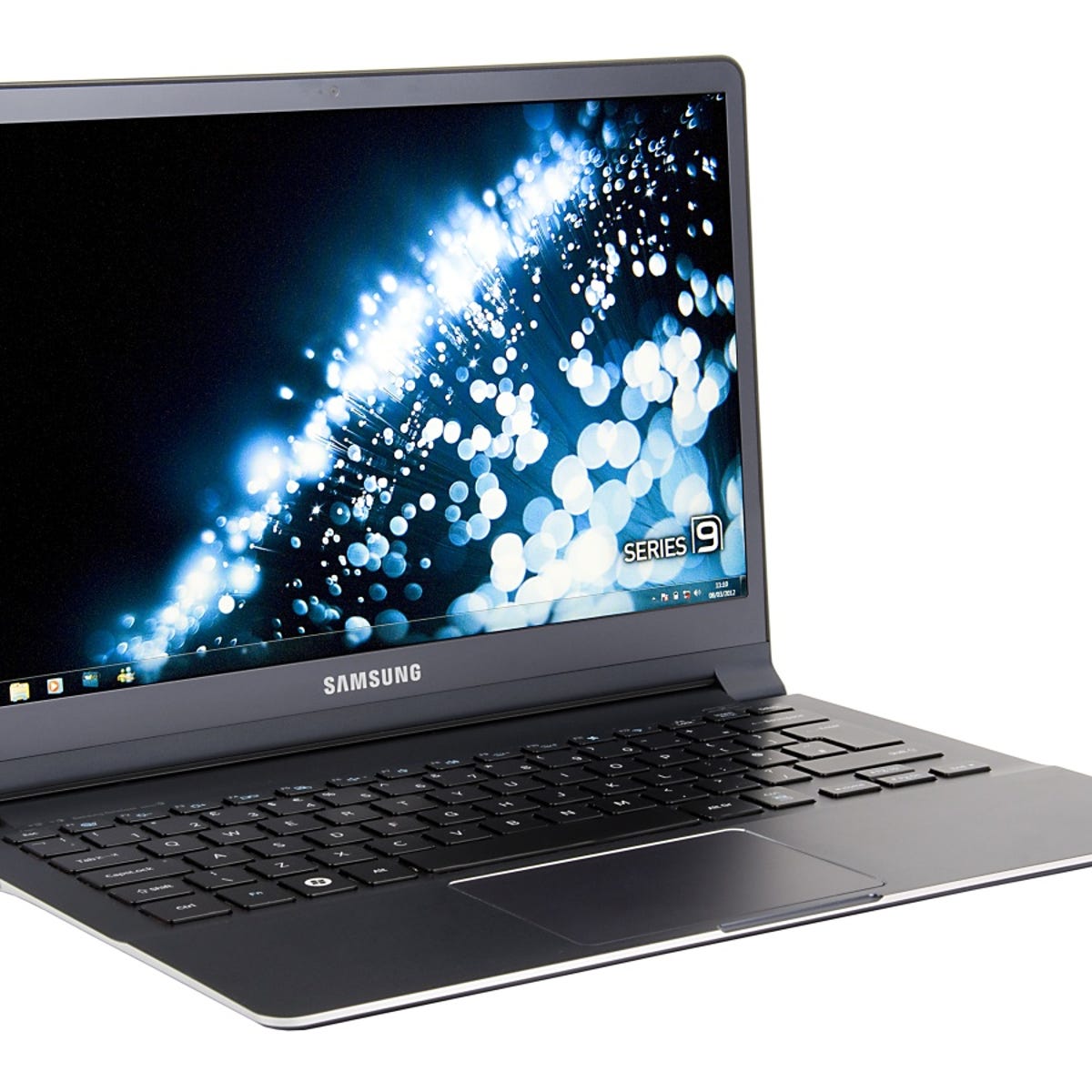
The Samsung Series 9 is a bold move by the company, and the range certainly turns heads with its slim design and mostly quiet operation. But underneath all of that finesse lies a few gaping omissions, such as the absurd use of dongles, average screen, dismal speakers, and a keyboard that will take a while to get used to. While it does provide better than average performance and delivers on its promised battery life, it seems that the Series 9 still has a little bit further to go before it can really make a lasting impression.
Bad: poor screen viewing angles, disappointing sound quality, lack of standard port connectivity
Good: lightweight, fast boot-up and resume, good battery life