The ‘j’ range of Synology’s lineup has always indicated a budget-friendly NAS, and the DS215j falls neatly into this category. Marketed as an entry-level home NAS, the DS215j still offers Synology’s exceptional user interface and a host of useful features without breaking the bank. While it may skimp a tad bit on performance, it still works rather well in a medium-load environment.
Build Quality & Design
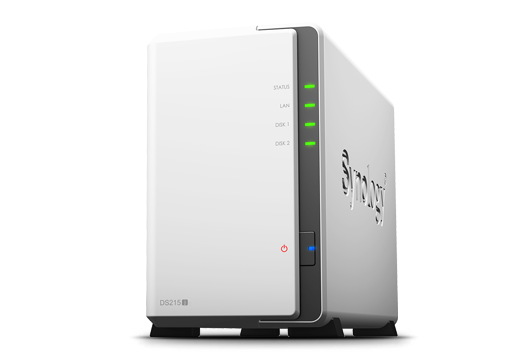
The DS215j features a mostly plastic design in white, unlike the somber black metallic designs we’ve seen on other models. It features two USB ports (only one is USB 3.0), Gigabit Ethernet, and that’s about it. It’s quite compact and could easily be hidden away in a living room setup or home office. I’m not a fan of the plastic body at all, but it’s something you’ll have to put up with in exchange for the affordable price tag. Under the hood you’ve got a Dual-core 800Mhz processor with 512MB of RAM, which is just enough to get most of the apps running smoothly.
Setup & Features
Setting up the DS215j takes a little bit of patience. In order to access both drive bays, the unit needs to be powered down and taken apart. The top half slides off to reveal the HDD bays, where you can slide in either 3.5” or 2.5” drives and secure them with the included screws. It’s not the most comfortable setup I’ll admit, as I’m a fan of tool-less NAS setups, but again this is just something you’ll have to go through during the initial setup or if you want to swap out any of the drives.
Once you’ve installed your drives and connected the DS215j to your network, it’s just a simple process of going through the setup wizard to initialize the drives and setup a few basic options. It’s worth noting that I was offered the option to migrate my data as the drives I had used were from a previous NAS setup, but I decided to wipe them clean for best results.
Once you’re setup, you’re presented with Synology’s familiar DSM 5.1 software, which to date is some of the most impressive NAS software I’ve seen. It can get a bit overwhelming since there are so many things you can configure and setup, but if you stick to even the most basic setup, you’ll be fine. Synology offers plenty of its own and community-driven apps that you can install directly on the DS215j to further expand its features. There are also a suite of apps available to download on your smartphone which enable things like remote file access, media streaming, system maintenance, and much more. As with other devices from Synology, you can use the DS215j as a streaming media server to stream content to compatible devices in your network.
Performance
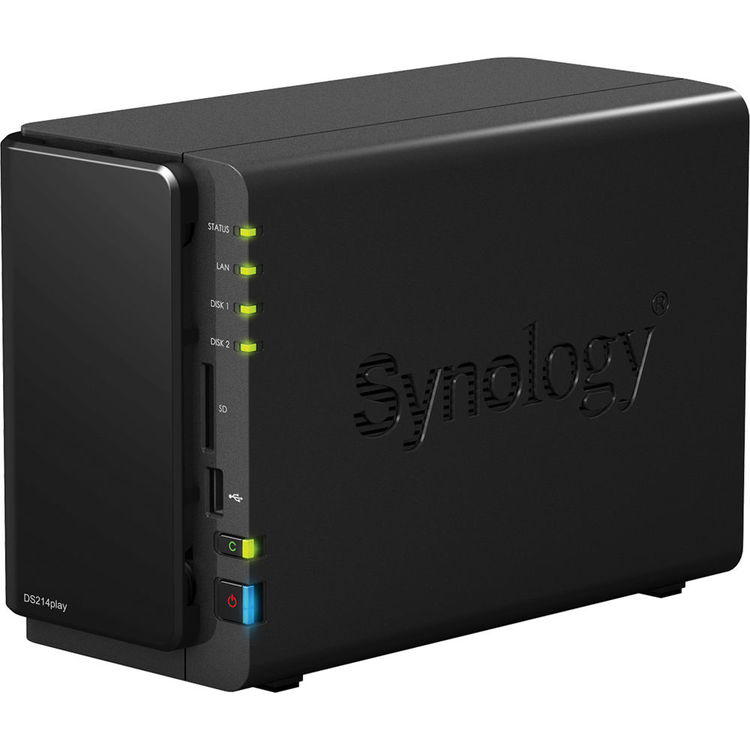
When it comes down to performance the DS215j is decent, but there are times where the interface just isn’t as snappy as it should be. Certain apps take just a second or two longer than they should, and while it isn’t a deal-breaker, it’s certainly noticeable when compared to other models we’ve tested. I couldn’t get Plex to install properly on it as the processor wasn’t compatible, which is a real shame as Plex runs perfectly on my DS214play. The DS215j is also noticeably noisier at times than other models, but this is only noticeable in extremely quiet rooms. Talking about transfer speeds, the DS215j actually did surprise me, despite its slightly lower specs. The DS215j managed to copy a single 3.7GB file across the network at speeds of about 109MB/s, and copying the same file back to the DS215j yielded a speed of a little under 103.4MB/s. Copying a folder of various file sized back to the DS215j saw speeds drop to a little shy of 81.2MB/s.
Conclusion
The DS215j is a solid and affordable little NAS, and while it sometimes takes a few seconds extra to launch apps, its data transfer speeds and suite of applications and features more than make up for this.
The DS215j is a solid and affordable little NAS, and while it sometimes takes a few seconds extra to launch apps, its data transfer speeds and suite of applications and features more than make up for this.