Synology have been steadily improving on their NAS models in the past year, and we’ve seen products catering to home users to business environments as well as everything in between. The new DS215+ NAS brings some minor yet welcome improvements in the 2-bay NAS category, and bundles most of the Synology software features that we’ve come to enjoy from the company.
Build Quality & Design
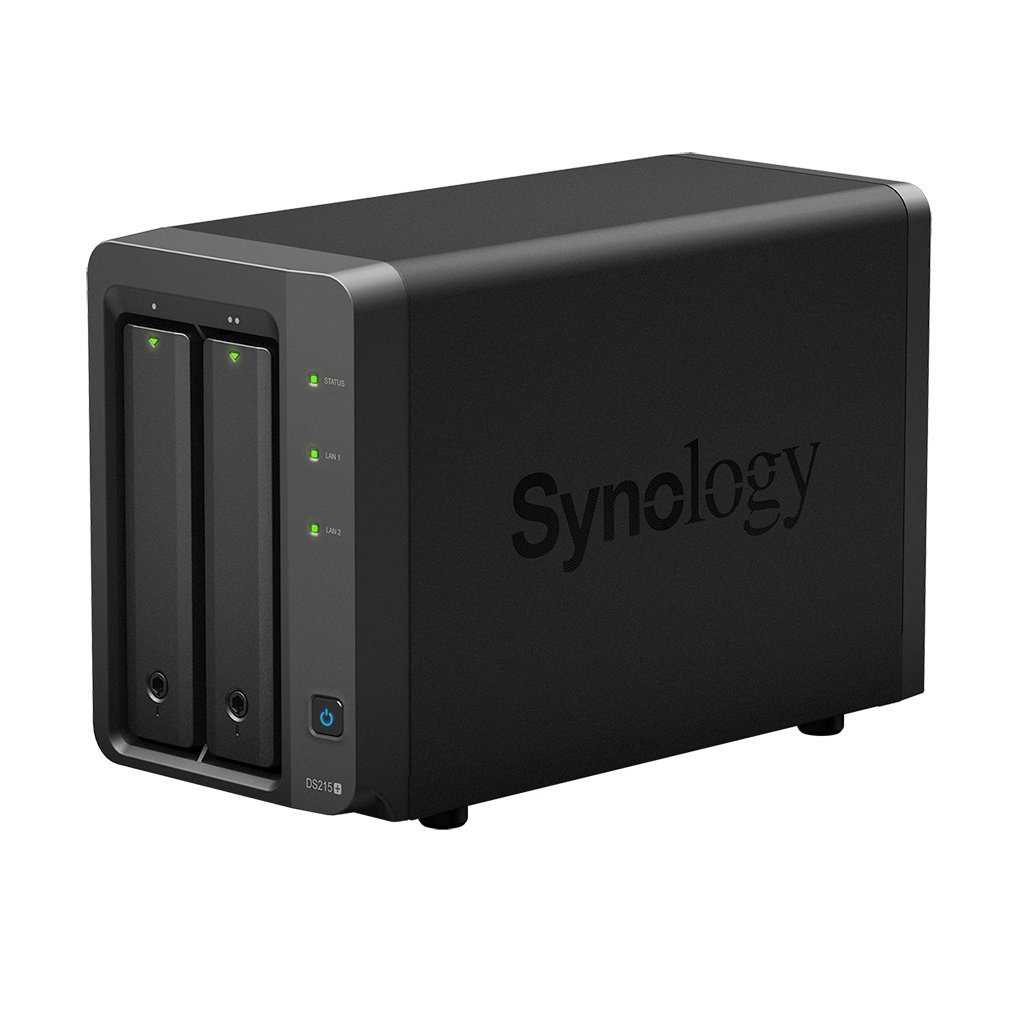
The DS215+ continues Synology’s no-frills design concept, with a black matte finish all around the unit. At the front are the two hard drive bays which I’ll come to in a moment. Round the back you’ve got two USB 3.0 ports, and eSATA port, and two Ethernet ports that support Link Aggregation/Fallover. The regular home user won’t really bother with Fallover, but if you’re using this NAS for small business storage, then it’s a good precaution to have.
Coming back to the drive bays, Synology have made the drive installation even easier by doing away with the need to screw in your HDDs. Simply place the drive into the tray, and snap the sides together to secure the drive in place. You then simply slide it into the enclosure and its all snaps together. This makes installation so much easier than fumbling with screws, so thanks Synology for making this step forward. The DS215+ can handle up to 16TB of storage in total, which is certainly more than you’ll need.
Setup & Features
The DS215+ is powered by Annapurna Labs’ AL-212 dual-core processor, running at 1.4GHz and 1GB of DDR3 RAM. Other Synology models run more powerful processors and pack more RAM, but for the average home user these sort of specifications are quite comfortable.
While Synology’s NAS enclosures might look quite simple, it’s the software that powers it that continues to excel over other NAS enclosures we’ve tested. The company’s DiskStation Manager is brimming with features, and even from the first bootup offers a painless way to set the device up. Simply follow the very easy steps, and within ten minutes you’ll be up and running with your NAS. The DS215+ also offers an encryption engine for further security, which takes the load off your main CPU for secure and reliable performance.
Performance
Once you’re booted into DSM, you’ll get a basic suite of apps installed by default, but you can quickly expand on the DS215+’s capabilities by installing apps from the dedicated app store, turning the DS215+ into everything from a VPN server to a dedicated IP Camera monitoring station.
Multimedia-wise, the DS215+ comes well-equipped to handle media streaming, and was able to stream pretty much any file that I threw at it. Viewing content through Synology’s native media apps on iOS can be a little bit tricky, but this is hardly a complaint. Native DLNA devices will happily speak to the DS215+ without any issues, so you can stream to pretty much any compatible device on your network. Users looking to run Plex off the DS215+ will be a bit disappointed, as it doesn’t support the processor used here. Still, for basic streaming services the native Video Station package will do just fine.
One of the things I certainly do love the most about DSM is its built-in remote access. This is free for Synology users, and quite literally takes a few minutes to set up. Once done, you can remotely connect to and control your NAS from anywhere, or even send links to files to other users via email for them to securely download files from your NAS. It’s a great way to privately share files, and if you don’t want to splurge for extra storage space on a service like Dropbox, you can turn your DS215+ into your own private file storage that always stays up to date.
Performance-wise, the DS215+ is great for use both as a multimedia device or as regular storage. Streaming 720p files from the device saw CPU usage hover around 72% utilization, which isn’t too bad.
Synology continues to offer some great NAS products on the market, and the DS215+ offers great value for money along with a strong suite of software packages to get the most out of your setup. It offers great security with encryption and network failover options, making it the perfect addition to a small business infrastructure.
- Encryption and dual network ports
- Outstanding software options
- Easy installation and setup
- iOS apps can be difficult
- Some slowdown on file transfers
Synology continues to offer some great NAS products on the market, and the DS215+ offers great value for money along with a strong suite of software packages to get the most out of your setup.