It’s important to understand that first and foremost, the BenQ W5800 4K Home Cinema Laser Projector means business. You won’t find a flashy user interface here or a ton of input ports – there are plenty of other options in BenQ’s lineup for that. But at its heart, the BenQ W5800 was built for one purpose only, and that is to give you the most authentic home-cinema experience that money can buy.
Of course it’s worth nothing that this projector is specifically designed for anyone who has a dedicated space for it. Have your own private basement cinema ready to go? Then the BenQ W5800 will feel right at home. This is certainly not a projector you could comfortably lay on a coffee table for a weekend movie night. I mean you could, but it just wouldn’t be doing this projector justice.
Design and Features
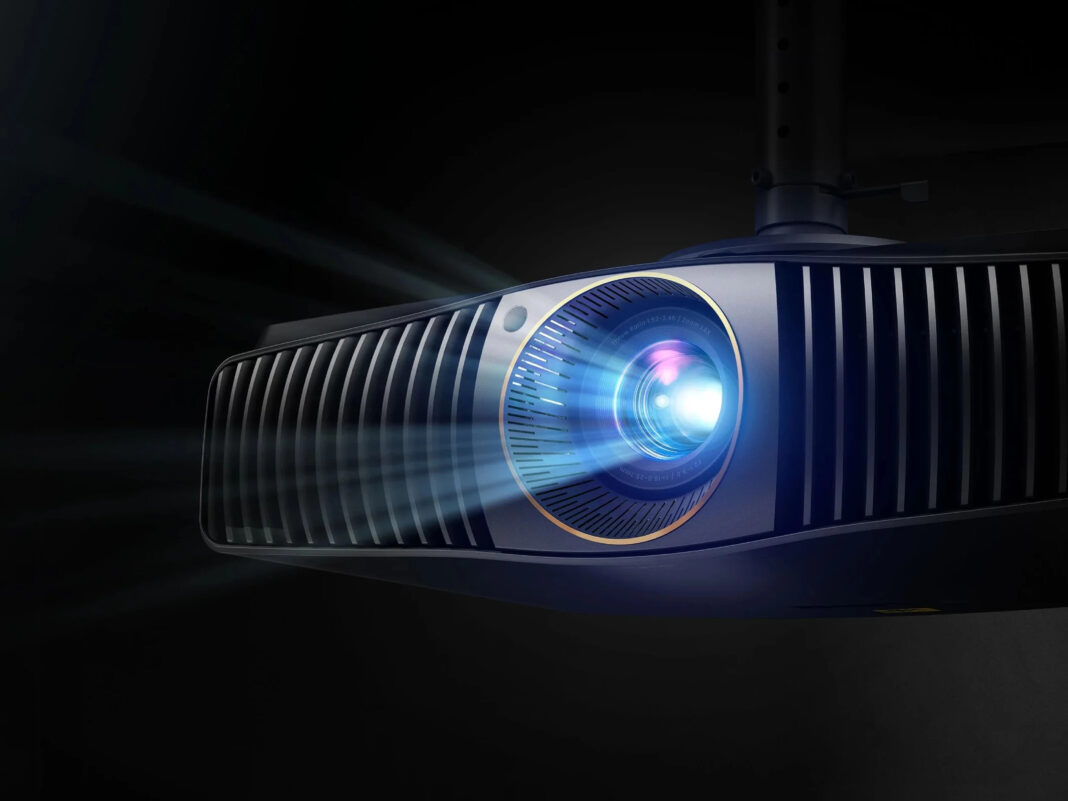
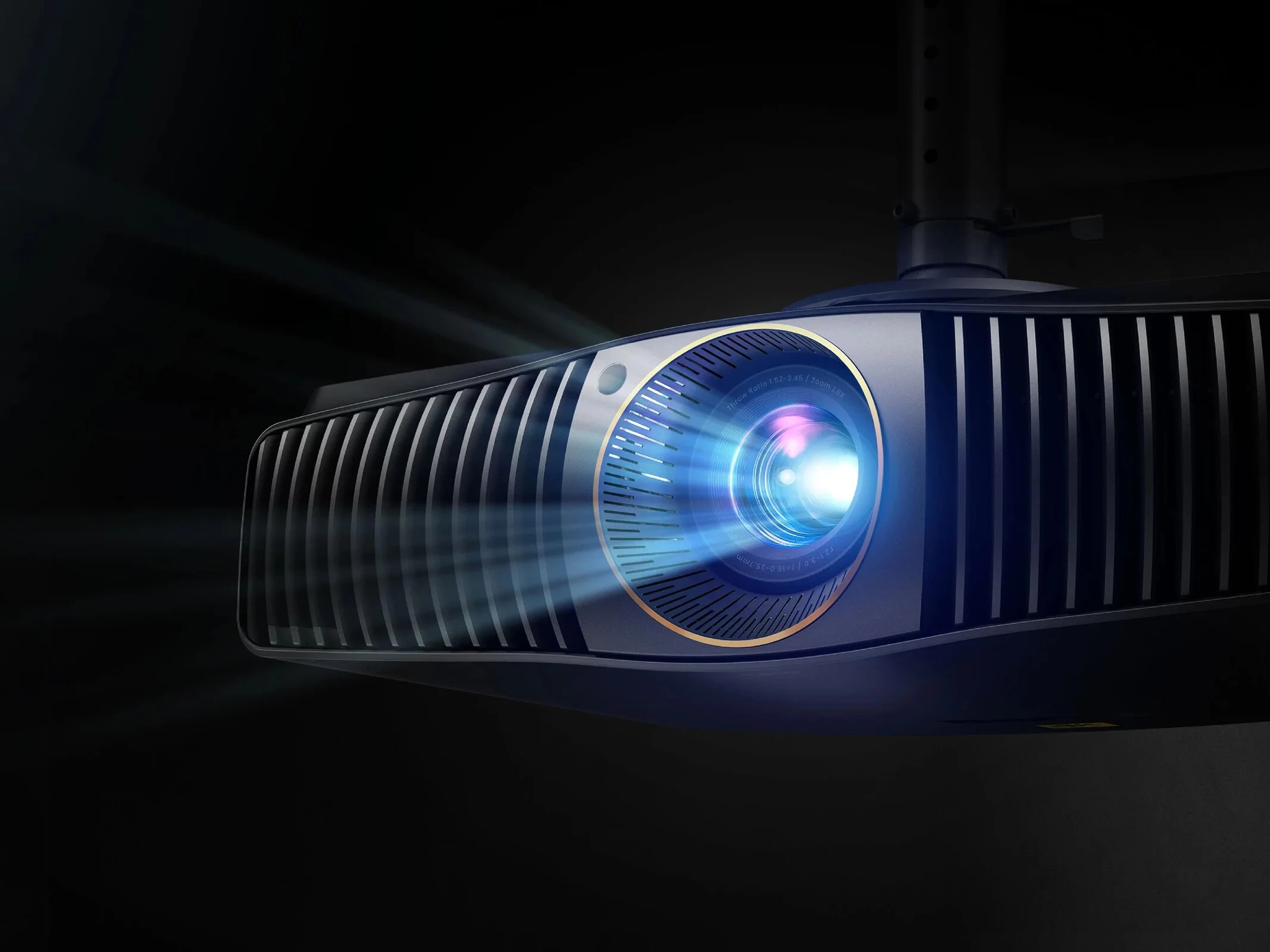
The W5800 is a beast of a machine, measuring a hefty 10.5kg and measuring 52.5 x 39.2 x 14.5cm. This is a projector that’s best kept out of sight, simply because it draws so much attention. Thankfully despite its size, the W5800 is considerably quiet, and when set up high above you on a ceiling mount, becomes barely audible when in use.
To keep things quiet yet cool, considerable work has been done to the W5800’s cooling mechanism. Namely, large vertical louvers in the front help to draw in cool air while keeping out dust, while broad vents on the side help to quickly expel warm air.
At the back you’ll find your connectivity options, primarily through two HDMI ports that support HDCP 2.2. Some might argue that at least one more HDMI port would have been handy, but personally I think two HDMI ports does the trick, as you’re probably only going to connect your most-used sources to this projector. There are also two USB Type A ports that provide 2.0A and 1.5A respectively. On the adjacent side you’ll find an RS-232 port, a 3D Sync output port, Ethernet, SPDIF, and a service port.
The W5800 doesn’t have any internal speakers, and that’s completely fine. No one in their right mind is going to want to buy such an expensive projector and then listen to the tinny audio coming out from the projector’s speakers. Similarly, the projector lacks any kind of built-in multimedia or streaming apps which again is not a bad thing – you’ll anyway be connecting this unit to a streaming device or multimedia player for the best experience, so we’re not at all fussed over this point.
One thing that is worth mentioning about the W5800 is that every single unit comes with its own factory calibration report directly performed by BenQ. You get a printed report in the box of the unit’s Rec. 709, white balance, and DCI-P3 levels for the best color accuracy right from the start. For cinema lovers who quite literally want to unbox this unit and jump into their first movie, this is definitely a great addition on BenQ’s part.
A huge plus point for the W5800 is the motorized lens shift, which gives you plenty of leeway for both horizonal and vertical lens shift. This level of adjustment is rarely seen in projectors, so no matter what your setup is, you can quickly adjust both screen position and zoom levels to perfectly align your projected image. This may seem like a small thing to be excited about, but when there are so many vastly different home cinema setups, it makes it much, much easier to set everything up.
Specs-wise, the W5800 uses a laser array light source that shines through a “lens system featuring 14-element including aspheric lens coated with low dispersion materials to improve clarity and uniformity.” That’s a lot of marketing speak from BenQ, but the end result is a crisp, sharp image with great colors on screen. The W5800 is marked at 2600 ANSI lumens brightness, which is great if you’ve got a dedicated setup that’s masked from any ambient light sources. BenQ has even gone the extra mile and adopted a patterned lens ring to prevent any extra light leakage when the projector is in use.
The W5800’s remote is definitely a talking point here – it’s rather large and seems to have every conceivable shortcut and setting on it, making it very easy to adjust image settings in just a few taps. It’s not the most comfortable thing to hold in your hand, so we’re hoping that you won’t need to use it too often other than to turn the projector on and off. On the flip side, it is backlit which makes it a lot easier to see in the dark.
In terms of picture modes, there are 11 different ones to choose from, depending on what you’re watching. There’s even a ‘Film Maker’ mode which keeps content at 24fps to retain the feeling of how the content was shot. While Dolby Vision isn’t supported here, HDR10 and HDR10+ is, so there’s still plenty of great content to watch either on streaming platforms or otherwise. During tests I found the ‘Bright’ and ‘Bright Cinema’ modes to be the most flattering for watching content, with little adjustments required.
Projection Quality
Of course the final verdict is in how the projector actually performs, and we threw a variety of content at the W5800 to see where its strengths truly were. For testing, we paired the W5800 with the AWOL Vision Cinematic+ ALR screen, projecting at a screen size of approximately 110”. While you can use the W5800 to project on a blank wall, you’re really not going to buy something this expensive and skimp out by not using a projection screen as well.
To kick things off, we started with Dune: Part 2 streaming via Apple TV. The harsh desert scenes weathered by billowing sands looked fantastic, with the various hues of yellow and orange lighting up the background. However, the W5800’s contrast levels struggled slightly here, especially in the end fight scene between Paul and Feyd-Rautha. As the two figures were silhouetted against a blazing sun, there was a slight bleeding of color around each figure – not enough to distract from the scene, but still difficult to ignore if spotted. In Shogun, a night scene of boats rushing through the seas loses some detail again, with figures blending in with the dark background of the ship’s sails. During a pivotal episode in Season 8 of Game of Thrones where the Night King’s army attacks, it’s a bit difficult to make out the individual characters as they charge forward in battle, given that the battle is mostly lit by the flaming swords of the Dothraki.
Having said that, the W5800 did exceptionally well with other films such as Spider-Man: No Way Home. The details in the scene where Spider-Man battles Dr. Strange is particularly memorable, with every building, car, and warped illusion coming to life on the screen. Minions: The Rise of Gru was equally enjoyable, with every scene bursting with vibrant colors that were no match for the W5800’s projection skills.
You may be tempted to use the W5800 for a spot of console gaming, and while the overall performance is acceptable, you might not want to use this projector for first-person shooters, as there is a noticeable lag when trying to quickly scope and take out an enemy. Platform and action games seem to do fine, but we’d stick to just using the W5800 for entertainment purposes rather than trying to create a cinema-style gaming effort.
Verdict: Home Cinema done right
The BenQ W5800 4K Home Cinema Laser Projector is a great piece of kit to have for your very own home cinema setup, and excels in a lot of areas that make it a sound investment. At $5,999 it’s the perfect addition or starting point for your own home cinema, with a very flexible setup and overall excellent visuals. Home cinema enthusiasts will appreciate the finer adjustments that can be made to the picture quality, and while contrast does suffer slightly in some scenarios, the overall projection experience is still very impressive.
- Excellent image quality
- Flexible lens control options
- Fantastic screen size
- Contrast is still slightly lacking
- Comically large remote
The BenQ W5800 is an extremely capable home cinema projector that offers strong visuals and excellent image control for its price point.