One-minute review
A good microphone is a must-have for any streamer who wants to be heard clearly. While a headset mic can work in a pinch, you’ll want to get something more responsive for your stream in order to elevate your audio levels. The Elgato Wave:3 is a sound investment to make, offering plenty of tricks for a new streamer to tap into while also being very easy to understand and tweak accordingly.
The built-in audio limiter is a much-appreciated feature to have, as you’ll never have to worry about your mic audio becoming too loud for your viewers to bear. The sturdy build and easy setup is also a huge plus point, and the captured audio quality on the Wave:3 is crisp and smooth.
Elgato’s accompanying software also helps to unlock much more control over not just your mic audio, but also what’s playing on your computer. If you’re not in the market for an external mixer to adjust your stream audio, this is another way to do it for free with the Wave:3. The other bonus is that the Wave:3 is ready to go right out of the box, complete with desk stand and pop filter, or it can be attached to a different mount very easily as well.
Of course, there are some mild caveats – the Wave:3 only records in one pattern, so if you’re thinking of using this mic to capture more than one person for a podcast, you might be out of luck. Similarly, while the Wave:3 can be used for singing or picking up a single instrument, adding more than one to the mix is going to result in unbalanced audio. Our last gripe with the Wave:3 is its mute button, which is a capacitive button at the top of the microphone that almost always makes a noise when you tap it to mute audio.
Price and availability
The Elgato Wave:3 is available now, and is priced at $149.99. That certainly puts it on the high end of stream equipment, so if you want something simpler for just capturing crisp audio, then consider the Razer Siren Mini for $49.99 or even Elgato’s Wave:1 for $99.99.
You’ll also have to consider additional optional accessories, such as a pop filter for $29.99 or a mounting arm from $49.99, if required.
Design
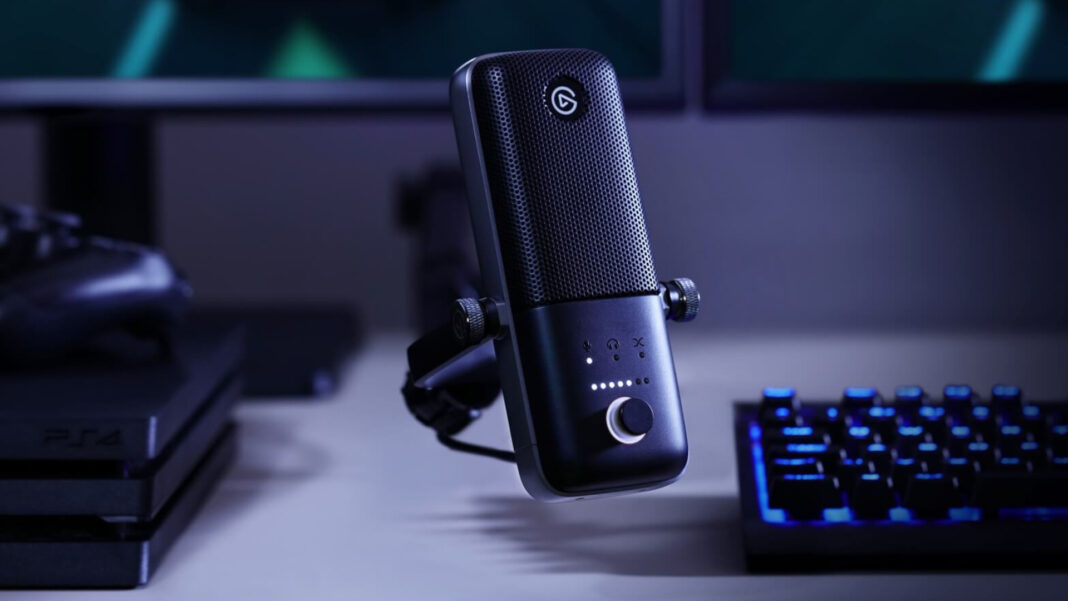
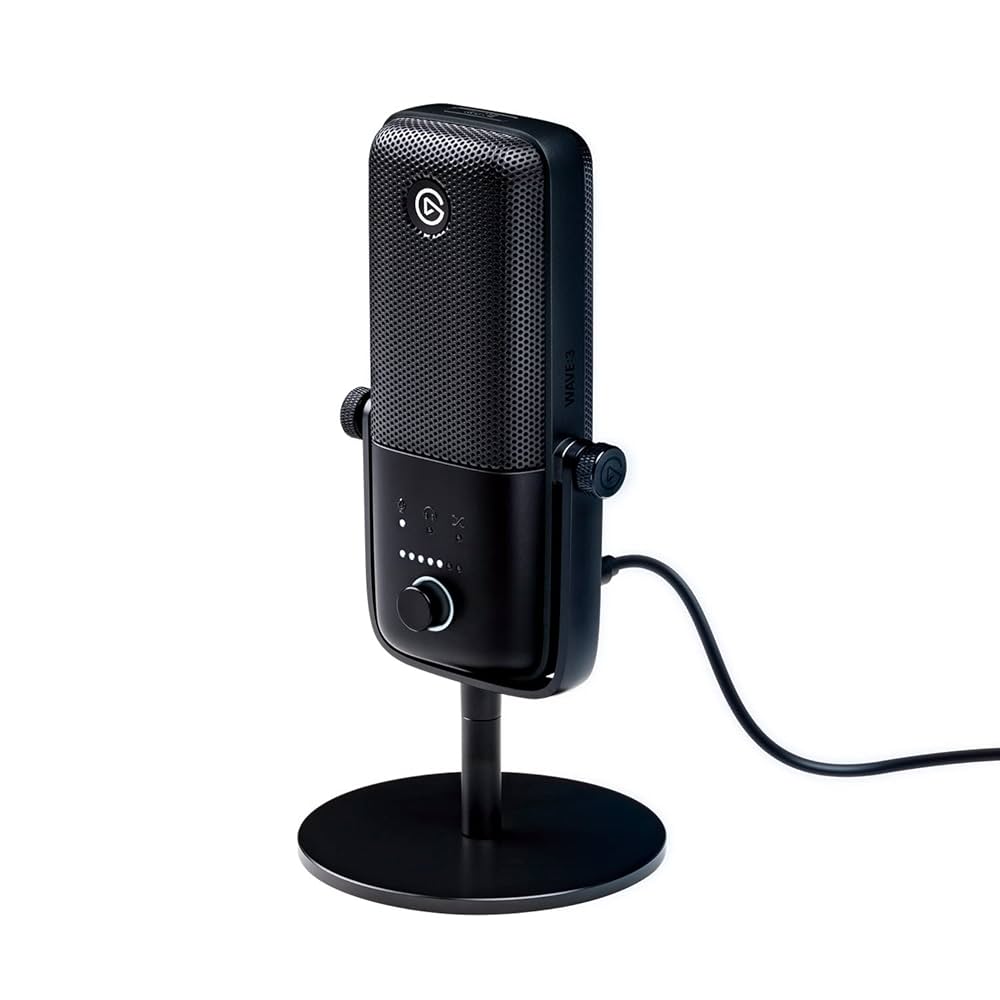
The Wave:3 sports a clean, all-black design made from sturdy plastic . The heavy desk base keeps it positioned firmly at all times, and you can easily tilt it to different angles to capture your voice better.
On the front you have an adjustment knob that can also be pressed to toggle between microphone, headphones, and crossfade, while a capacitive mute button sits on the top.
At the back you’ve got a 3.5mm jack to plug your headphones into, and a USB-C port to connect the microphone to your computer. Elgato includes a Type-C to Type-A cable in the box, and it’s long enough to comfortably connect to your PC or Mac.
The steel grille acts as a built-in pop filter, helping to keep your audio as clean as possible from pops. There’s also an audio limiter feature that Elgato calls Clipguard, which automatically triggers if the audio gets too loud if you sudden shout during a frantic gaming session. This is not only beneficial for your viewers, but also ensures that your audio levels are always consistent. The feature can be turned off as well, should you want to.
Performance
One things is clear – this is a microphone designed for streamers at its heart. The single recording pattern offered by the Wave:3 makes it easy to pick up audio clearly from just a few inches away. The best quality will come from it being closer to your mouth on a microphone arm, but even when sat on your desk in front of you, the Wave:3 is a very good microphone to have in your setup.
Elgato’s free Wave Link software helps the Wave:3 to shine, offering you a much more civilized way to route and control your audio as a streamer. You can easily assign Discord, Spotify, and game audio to different channels, and control their levels on the fly. For non-streamers this isn’t a feature you have to bother with, but if you’re looking to easily adjust any of your audio levels while streaming, the Wave Link will certainly come in handy.
There are also a number of free effects that you can use with the Wave:3 – everything from compression plugins to a full-blow EQ. All can be installed through Wave Link and then controlled, giving you even more options to make your audio sound even better. The Wave:3 was also good for singing with, though we were more inclined to turn Clipguard off and adjust our position to the mic manually to avoid clipping. Keeping Clipguard on made our voice sound a little robotic on louder notes, so this is something to keep in mind.
One thing we have to deduct marks for is the mute button, which sits at the top of the mic. This capacitive button will turn the control knob red when pressed, so that you have a visual cue when the microphone has been muted. The problem with the mute button is that it creates a tapping noise in your audio when pressed, so you have to very gingerly press it when you want to mute. We would have much preferred a physical button instead, or at least one that is slightly raised – sometimes we had a bit of difficulty tapping in the right place.
While it’s nice that Elgato includes a desk stand with the Wave:3, you’ll really want to invest in a proper mic mount to get the best use out of this mic. The problem with the included stand is that in order to be heard clearly, you’ll have to turn up your mic gain a tad higher, which then starts to include a lot of ambient room noise (unless you’ve soundproofed your streaming area). With a mic mount, you can keep the Wave:3 closer to your mouth so that it only picks up your speaking, which is a preferred way to use it.
- Easy setup
- Great audio control
- Built in limiter
- Awkward mute button
It’s easy to recommend the Elgato Wave:3 as a streamer’s friend, simply because it gives a tremendous amount of control over microphone audio as well as any audio playing on your PC. The built-in audio limiter is a true blessing, and Elgato’s no-nonsense software is an added benefit. Our only grip is with the awkwardly placed mute button, which needs to change in future models.